
WP Cerber Security 9.7
This release continues our focus on operational clarity and forward compatibility. We are introducing a new dashboard widget that makes configuration and environment risks visible early, alongside targeted security hardening in logging and the admin interface. As part of this update, we completed another step in aligning WP Cerber with PHP 8.5 by removing deprecated paths and reducing deprecation noise, so day-to-day operation on modern stacks remains predictable and low-friction.
System Readiness Dashboard Widget
A new System Readiness widget is now available in WP Cerber dashboard to surface plugin configuration and environment issues that affect security or stability. We designed this widget to make early warning signals visible without forcing administrators to dig through logs or diagnostics screens.
Issues are presented as a structured list with severity levels, timestamps for recurring events, optional diagnostic details, and links to relevant documentation. Each item can be dismissed individually once reviewed, allowing the dashboard to stay focused on unresolved concerns.
Security Hardening Updates
Traffic logging has been hardened with protection against log forging and injection attempts. This change improves the integrity of security logs and reduces the risk of untrusted input manipulating recorded events during forensic analysis.
Content-Security-Policy enforcement in the plugin’s admin area has been tightened. Additional directives now explicitly constrain scripts, styles, form submissions, and framing behavior, narrowing the attack surface when working inside the admin interface.
Detection and Firewall Improvements
Detection of obfuscated malicious JavaScript has been improved to better identify intentionally concealed payloads. We focused on strengthening coverage of common obfuscation techniques while keeping detection behavior predictable.
Compatibility and Maintenance
Legacy code deprecated in PHP 8.5 have been removed. This reduces deprecation warnings on newer PHP versions and keeps server error logs focused on actionable issues.
Outdated monitoring logic and deprecated PHP constructs were also removed as part of routine maintenance. These changes improve alignment with current PHP behavior and reduce the likelihood of edge cases caused by obsolete code still executing.
Admin Interface and Settings Behavior
HTTP header validation used in request whitelisting was updated to correctly handle rules with empty values after the colon. Headers with values such as 0 or an empty string are now processed as expected, while correctly formatted rules continue to work without changes.
Dashboard widget reordering now works only via widget headings. This prevents accidental layout changes when interacting with widget content and makes dashboard customization more deliberate.
Reliability and Background Processing
Error handling around email alert delivery was enhanced, and obsolete data is now cleaned up automatically during upgrades. These changes reduce silent notification failures and prevent accumulation of outdated data across versions.
Spam comment cleanup was optimized to run in batches with more consistent timestamp handling. On sites with high comment volume, this lowers the risk of resource spikes during maintenance operations.
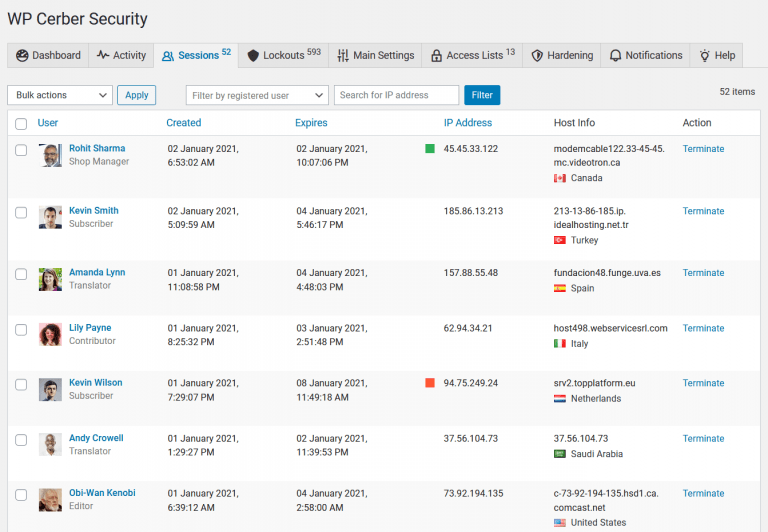
Handling of expired user sessions and IP address lockouts was improved to ensure stale restrictions are cleared more consistently. This reduces cases where access remains blocked longer than intended.
Fixed bugs
Several minor issues were fixed that caused PHP deprecation warnings when null values were passed to string-processing functions. This prevents recurring log entries such as preg_replace(): Passing null to parameter #3 ($subject) of type array|string is deprecated and preg_match(): Passing null to parameter #2 ($subject) of type string is deprecated.
Bugs were fixed that triggered warnings about missing request data, including Undefined array key "REQUEST_METHOD" and Undefined array key "HTTP_HOST". These edge cases are now handled safely without polluting server error logs.
Settings pages were corrected to properly render escaped HTML tags, avoiding confusing or broken output when viewing certain configuration values in the admin UI.
Wonder what WP Cerber got in the previous version?
Review the release note for WP Cerber Security 9.6.11.
How to update WP Cerber
We recommend enabling automatic updates to ensure you always have the latest security features and performance improvements: how to enable automatic updates in the plugin settings.
How to install WP Cerber
New to WP Cerber? Follow this step-by-step guide to install WP Cerber on your WordPress.
Have any questions?
If you have a question regarding WordPress security or WP Cerber, ask it in the comments below or find answers on the community forum.
Spotted a bug or glitch?
We’d love to fix it! Share your bug discoveries with us here: Bug Report.


WP Cerber Security 8.7
Managing WordPress application passwords a hassle-free way

I'm a software engineer and team lead at Cerber Tech. I started coding in 1993 on IBM System/370 and today software engineering at Cerber Tech is how I make my living.